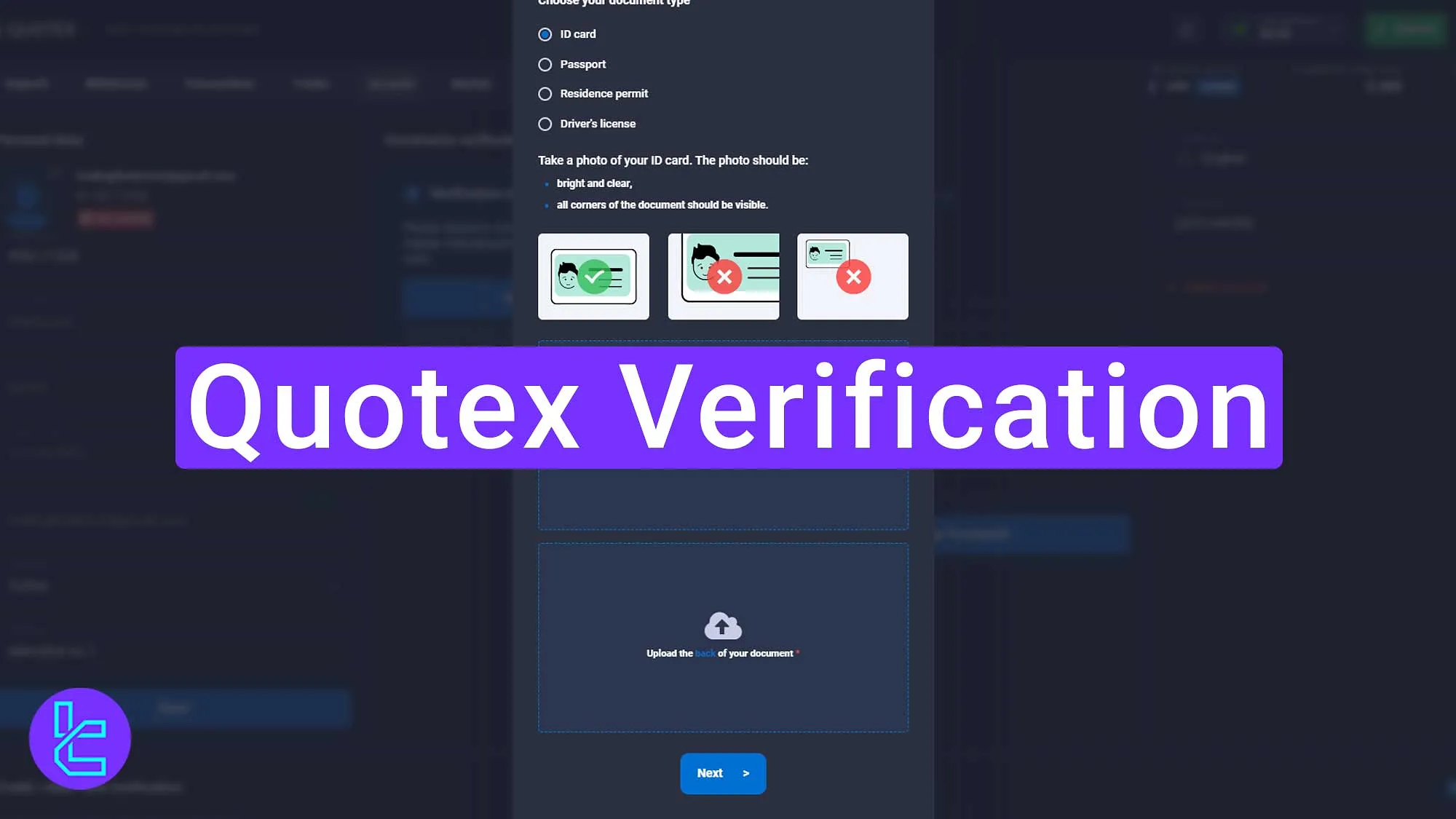

How to Verify Quotex Account in Pakistan? (Step-by-Step Guide)
 Share
Share
 2 min read
⚠️ Risk Warning: Trading involves risk and may result in financial loss.This content is for educational purposes only and is not investment advice.
JOIN PREMIUM VIP SIGNALS CHANNEL FREE TODAY ONLY

If you are a Pakistani trader using Quotex for the first time, account verification is a crucial step to ensure smooth deposits, trading, and withdrawals. In this complete guide, you will learn how to verify Quotex account in Pakistan without any video selfie KYC — using only Pakistani government-issued identity documents. Whether you're a beginner or already trading, this guide will help you avoid verification errors and get your account approved faster.
Why Is Quotex Account Verification Necessary in Pakistan?
Verifying your Quotex account provides:
- ✅ Safe & secure withdrawals to Pakistani wallets/banks
- ✅ Proof of identity & protection against fraud
- ✅ Higher deposit and withdrawal limits
- ✅ Trust and credibility of your trading account
Quotex accepts multiple Pakistani documents, and the process takes less than 2 minutes once the documents are submitted correctly.
Documents Accepted for Quotex Verification in Pakistan
You can verify your Quotex account in Pakistan using any one of the following:
- CNIC – Computerized National Identity Card
- NICOP (National Identity Card for Overseas Pakistanis)
- Pakistani Passport
- Residence Permit
- Driving License (Pakistan)
No selfie video verification is required for Pakistani users.
You only need to upload your identity document front & back (if applicable).
Pre-Verification Checklist (Must Do First) for Quotex Account Verification in Pakistan
Before starting the Quotex verification process, complete the following steps to avoid rejection:
Verify Your Email Address
Go to your email inbox and confirm the email sent by Quotex.
Update Personal Details Correctly
Inside Quotex account settings (Account Tab), fill these exactly as written on your ID:
- First Name
- Last Name
- Date of Birth
- Full Address
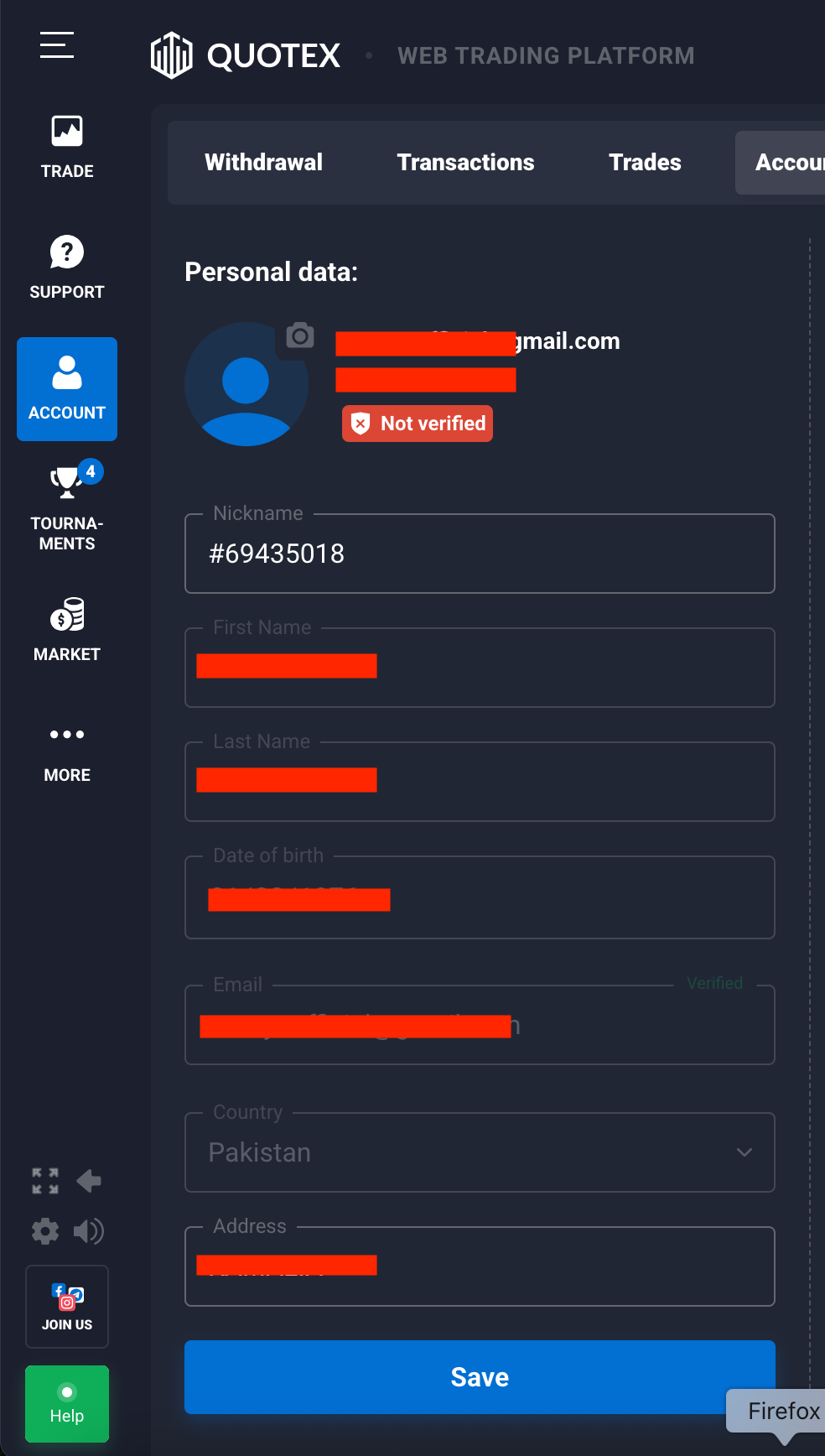
Tip: If your spelling or date of birth doesn’t match your CNIC or Passport, the verification will be rejected.
How to Verify Quotex Account in Pakistan – Step-by-Step
Follow this simple process to complete verification in 2 minutes:
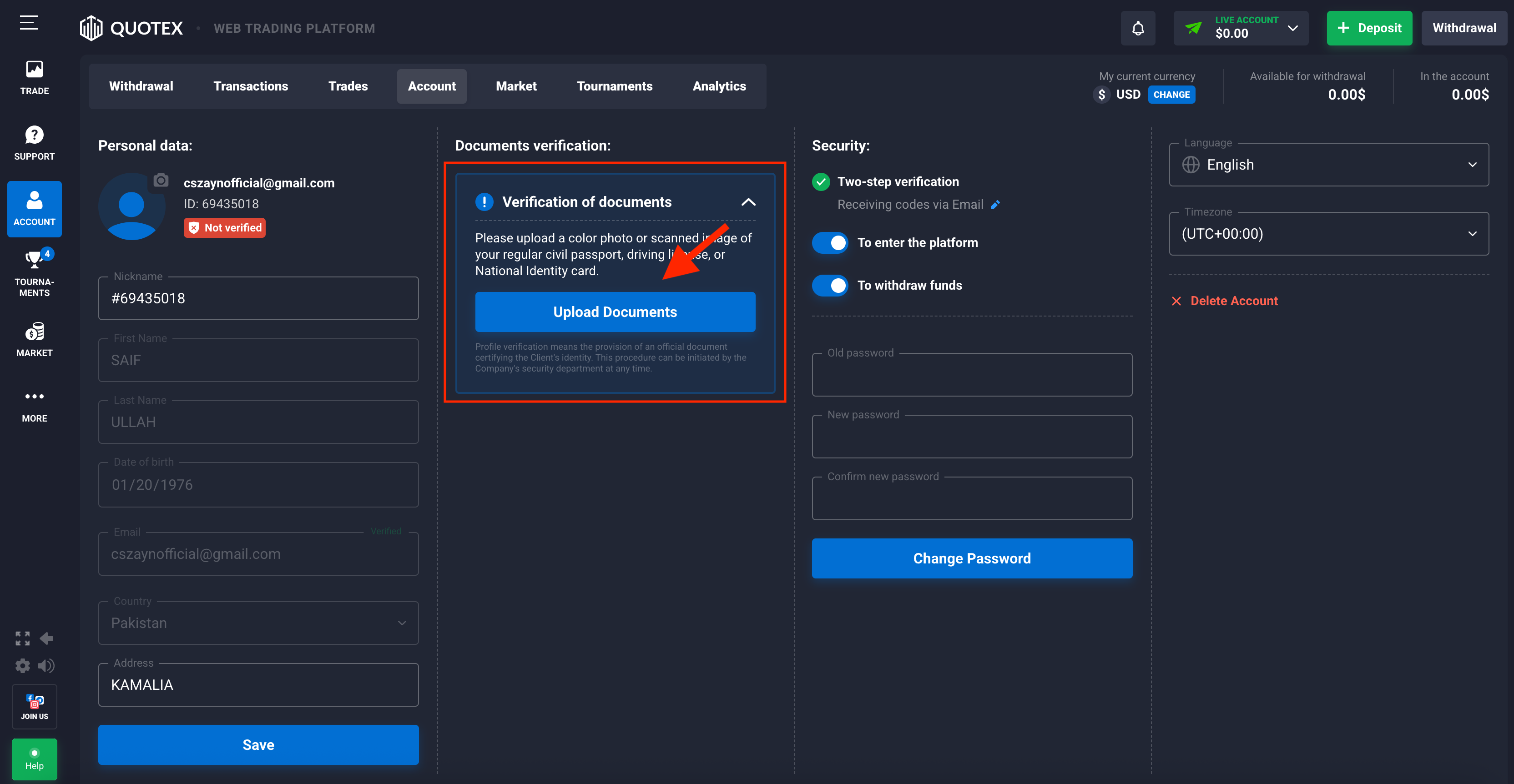
Step 1: Go to Documents Verification Section
- Login to your Quotex account
- Open Account Tab → Documents Verification
- Click Upload Documents
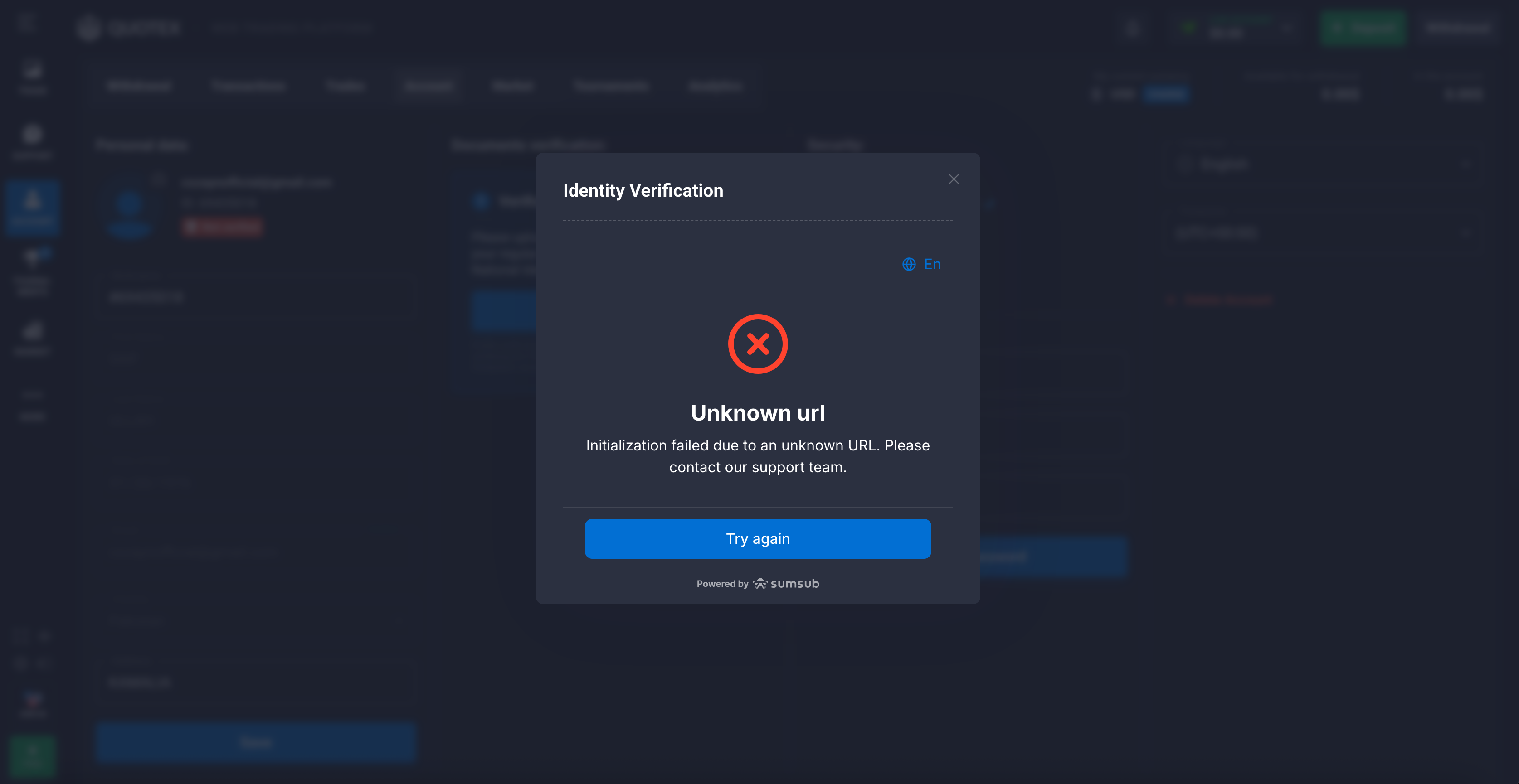
❗ If you see "Unknown URL" error… Don’t panic — this happens sometimes. Just click Try Again, and the page will reload.
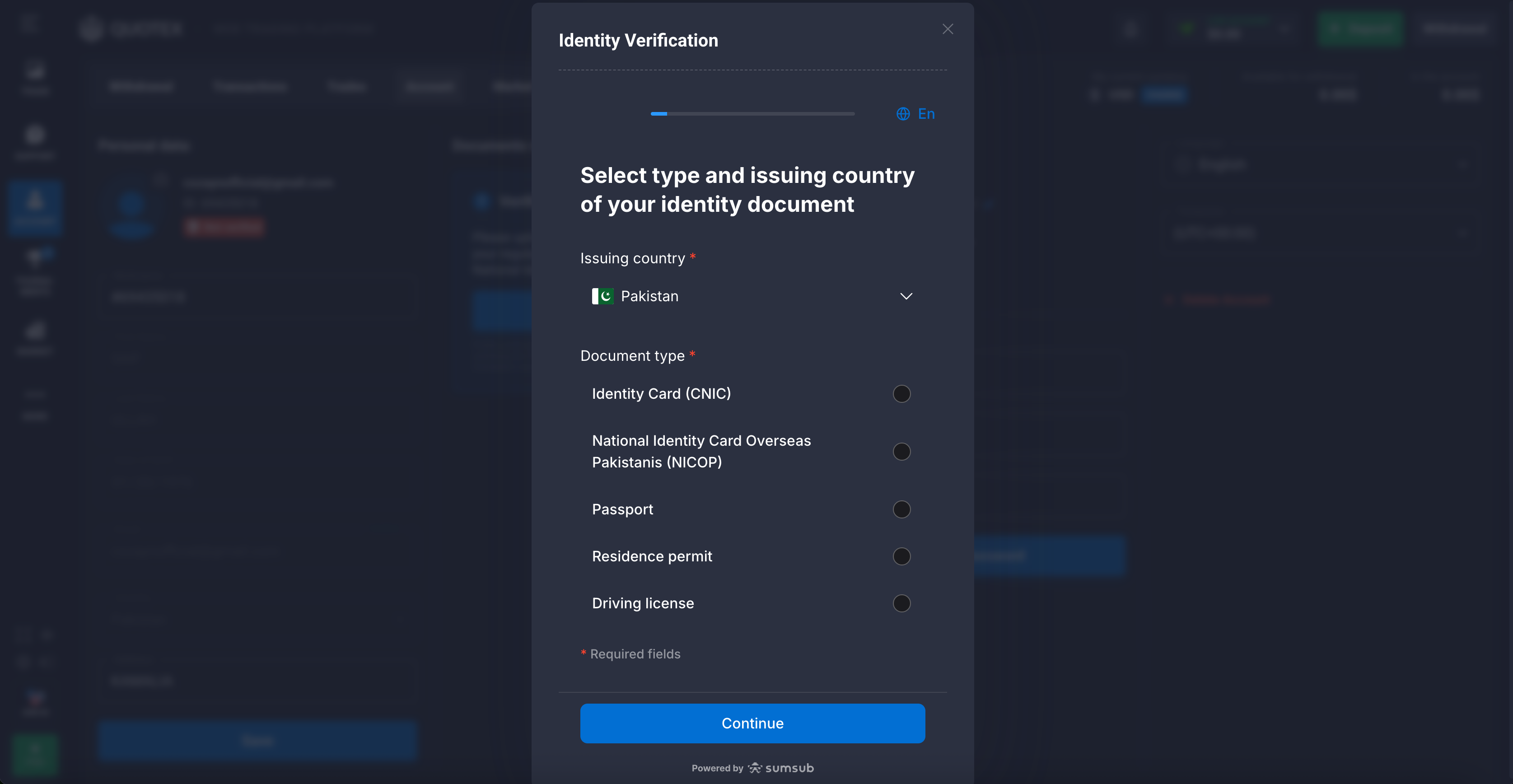
Step 2: Select Document Type & Country
You will see the page: “Select type and issuing country of your identity document”
- Choose your document (CNIC, NICOP, Passport, Residence Permit, Driving License)
- Select Pakistan as the issuing country
- Click Continue
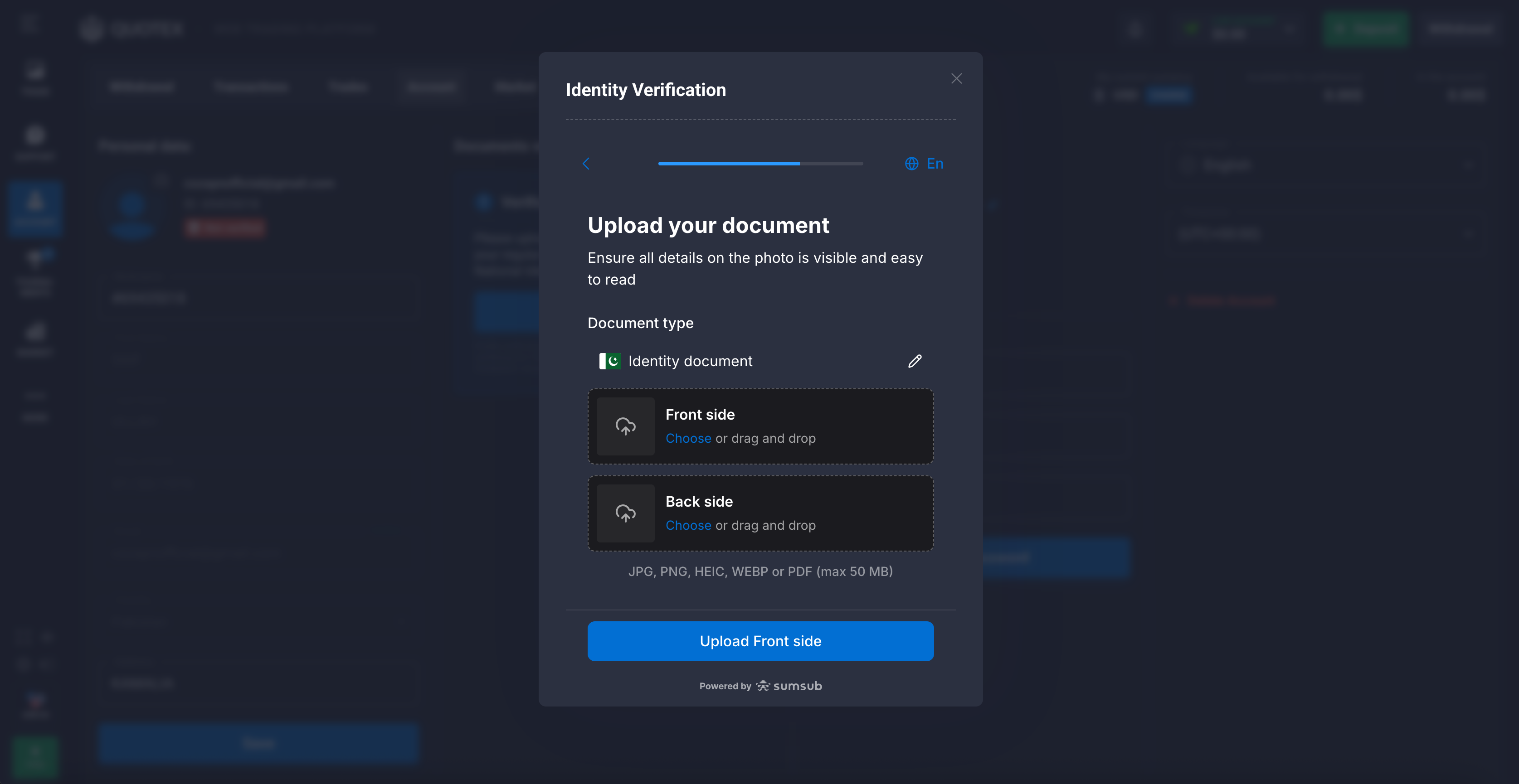
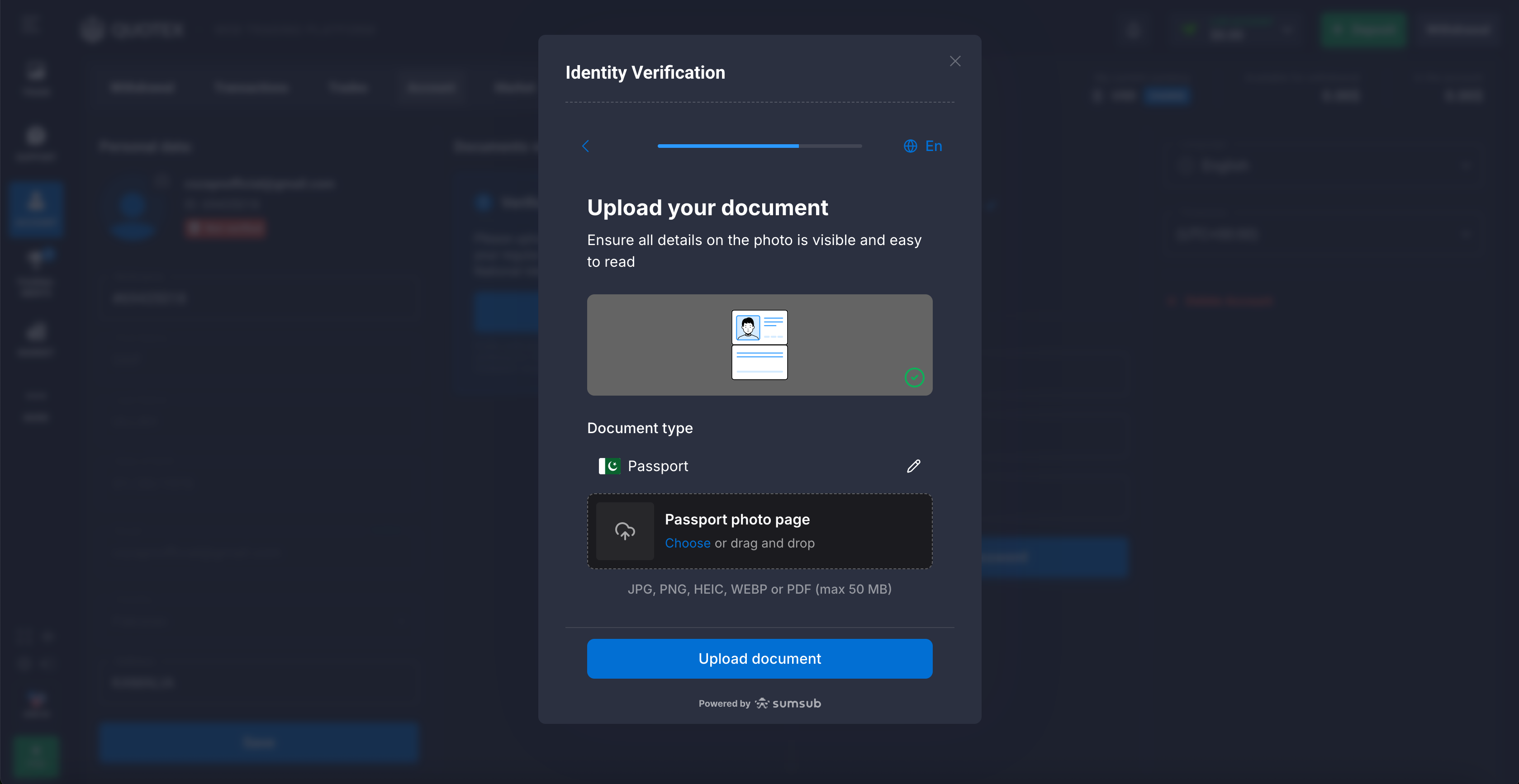
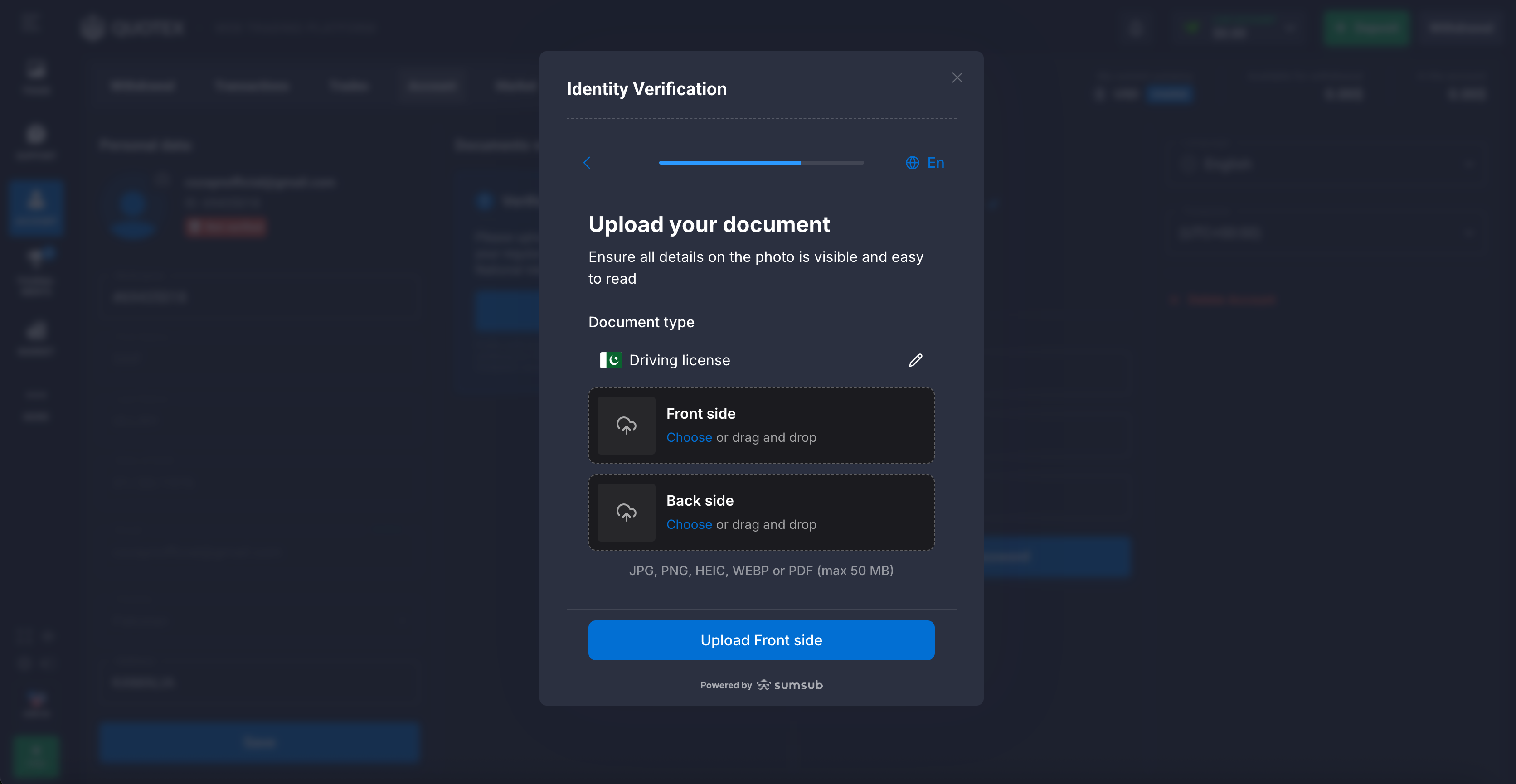
Step 3: Upload Your Documents
- Upload the front side (and back side if required)
- Make sure the image is clear (no screenshots, no blur, glare, or cropped edges)
- Click Continue
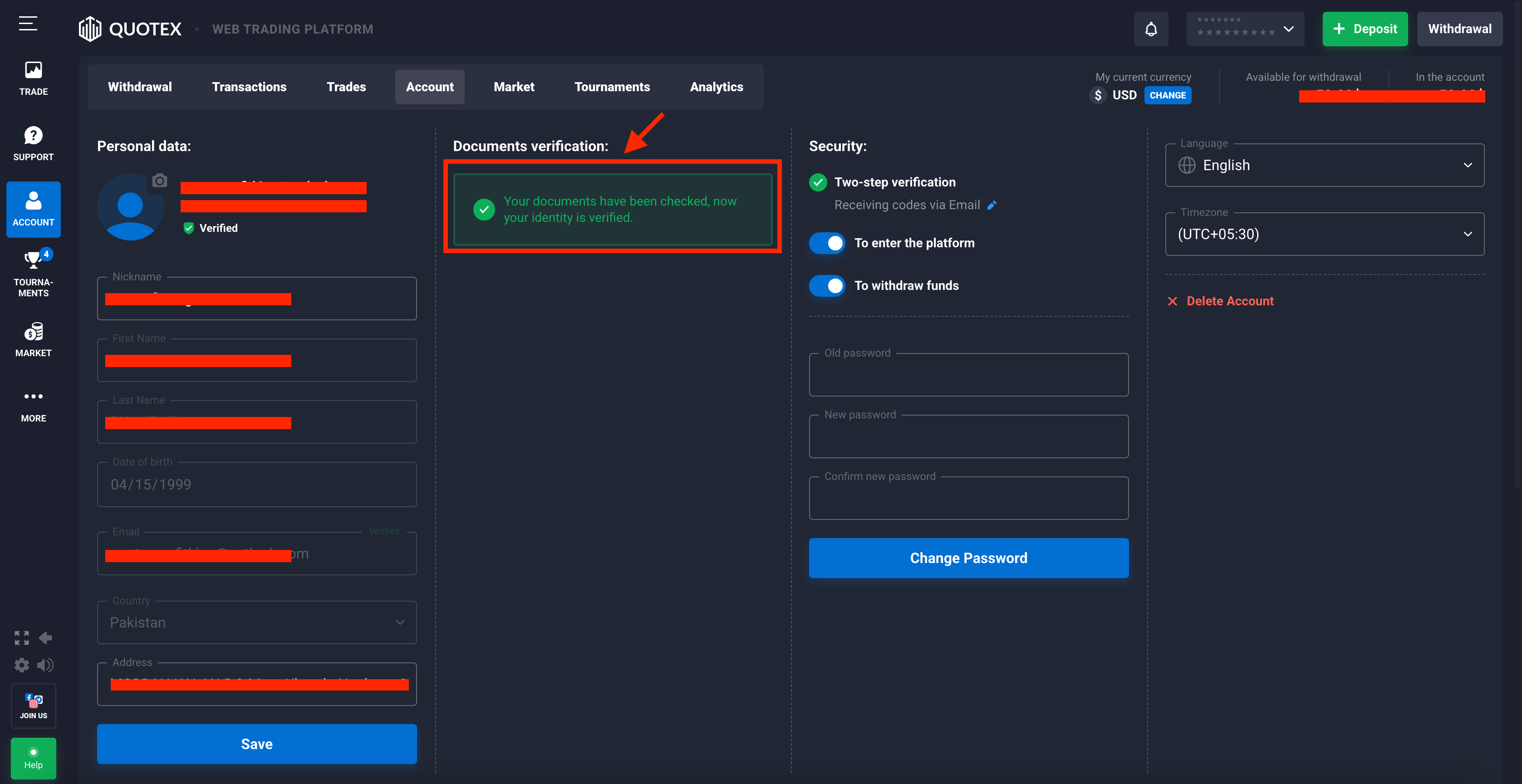
Step 4: Automatic Review (1 Minute Only!)
Quotex will automatically review your document within 60 seconds.
If valid:
✅ Your account status will show Verified
If rejected:
❌ Re-upload with a clearer photo or correct details
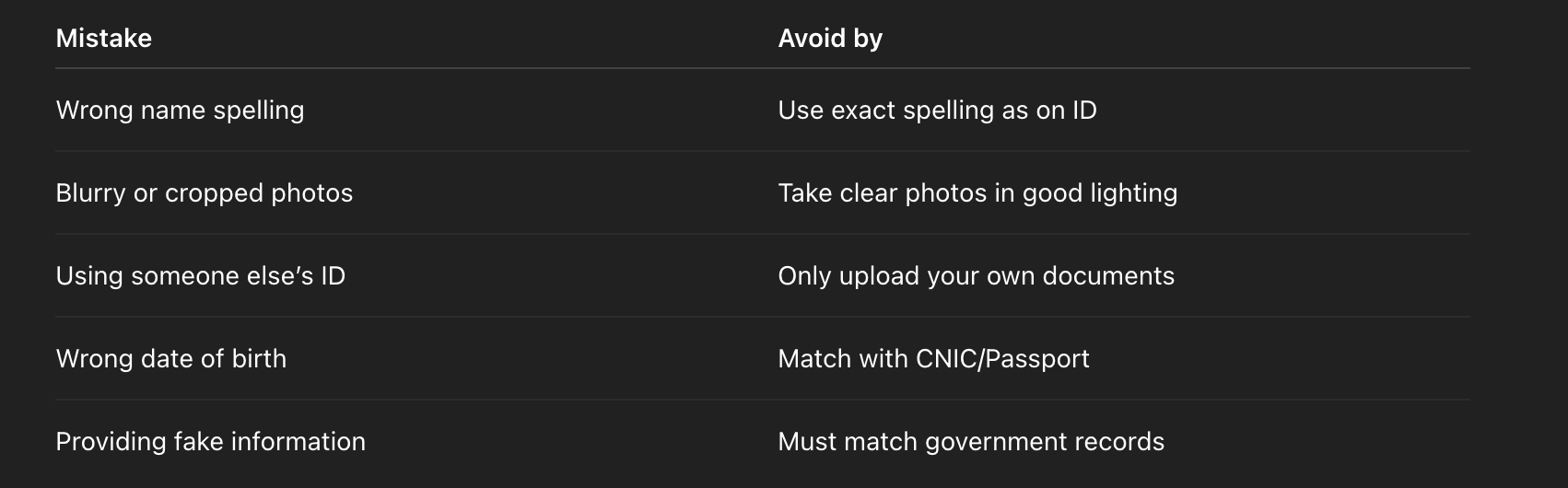
Why Quotex Verification Gets Rejected in Pakistan (Avoid These Mistakes)
Here are the top reasons Pakistani accounts get disapproved:
How Long Does Quotex Verification Take in Pakistan?
Email verification → Instantly
Document submission → 1–2 minutes
Final approval → Usually 1–10 minutes
Most Pakistani users receive approval within 1 minute if documents are clear.
Is Quotex Verification Safe for Pakistani Users?
Yes. Quotex is a licensed platform and your personal documents are encrypted. Verification is required only for account authenticity and secure withdrawals.
Final Thoughts: Quickest Way to Verify Quotex Account in Pakistan
To verify Quotex account in Pakistan smoothly:
- Verify your email
- Add correct personal details
- Upload a valid Pakistani identity document
- No video selfie required
- Approval in 60 seconds
Once verified, you can easily deposit through Pakistani methods and withdraw your trading profits without delays.
FAQs — Quotex Account Verification in Pakistan
1. Which document is best to verify my Quotex account in Pakistan?
The fastest and most commonly accepted documents are CNIC (Computerized National Identity Card) or a Pakistani Passport. NICOP, driving license, and residence permits are also accepted.
2. Do I need a selfie video (video KYC) to verify my Quotex account in Pakistan?
No. For users in Pakistan, Quotex verification does not require a selfie video. Uploading a clear photo of an accepted identity document is sufficient.
3. Can I verify using a family member’s CNIC or passport?
No. You must verify using your own government-issued identity document. Submitting someone else’s ID will result in rejection and may violate Quotex terms.
4. What should I do if I see an "Unknown URL" error when uploading documents?
If you see the "Unknown URL" error, click "Try Again". The upload dialog should reload and show the option "Select type and issuing country of your identity document". From there select your document type, choose Pakistan as the issuing country, and proceed to upload.
5. How long does Quotex verification take in Pakistan?
Once you upload clear and correct documents, the automatic review usually completes within about 1 minute. In some cases final approval may take a few minutes if manual review is needed.
6. What personal details must match my identity document?
Your first name, last name, date of birth, and address in the Account tab must exactly match the information on your ID. Mismatched spelling or DOB is a common reason for rejection.
7. Which Pakistani documents are accepted for Quotex account verification?
Accepted documents include: CNIC, NICOP (for overseas Pakistanis), Pakistani Passport, Residence Permit, and Driving License. Upload front (and back if requested) in a clear photo.
8. Is verification safe and necessary for withdrawals?
Yes. Verification secures your account and is required to complete withdrawals and increase account limits. Quotex uses document encryption and secure procedures to protect your personal data.
Disclaimer:
This article is published for general educational and informational purposes only. It does not constitute investment advice, financial advice, trading advice, or a recommendation to engage in any trading activity. Trading on financial markets involves significant risk and may result in the loss of all invested capital. Past performance, examples, or explanations described in this article do not guarantee future results. The author and this website do not provide any guarantees of profit, income, or successful trading outcomes. Any information presented reflects general concepts and is not tailored to individual financial circumstances, goals, or risk tolerance. This website is an independent informational resource and is not an official website, representative, partner, or support service of any trading platform or broker. Users are solely responsible for conducting their own research and making independent decisions before engaging in any financial activity. By reading this content, you acknowledge that you understand the risks involved and agree that the website and its authors are not liable for any financial losses or decisions made based on the information provided.